Vendor Deposits — track the money you send suppliers before the bill arrives
If you import from overseas, order custom tooling, or pay any supplier a deposit before production starts, you already know the awkward gap: the cash leaves your account weeks before a bill exists, and SKU had nowhere to put it. Until now that money lived in a spreadsheet or got hacked in as a negative bill line — which quietly corrupts your costs. Vendor Deposits closes the gap. It's a new first-class document that lets you record a prepayment, pay it, track it against the purchase order, and automatically net it off the supplier's bill when it finally lands.
✨ What this means for you:
- Record money sent to a supplier before any bill exists — wires, ACH, checks, or payments made outside SKU.
- Deposits are tracked against the purchase order, so you can always see how much of a PO is prepaid and how much is still owed.
- When the supplier's bill arrives, the deposit is applied automatically — no more remembering to net it off by hand.
- Deposits post correctly to Other Current Assets and never touch your FIFO cost or inventory valuation — your margins stay clean.
- A dedicated Cash Due Schedule answers the question every AP team actually asks: what do I owe right now, and what's coming up?
A workspace for every prepayment
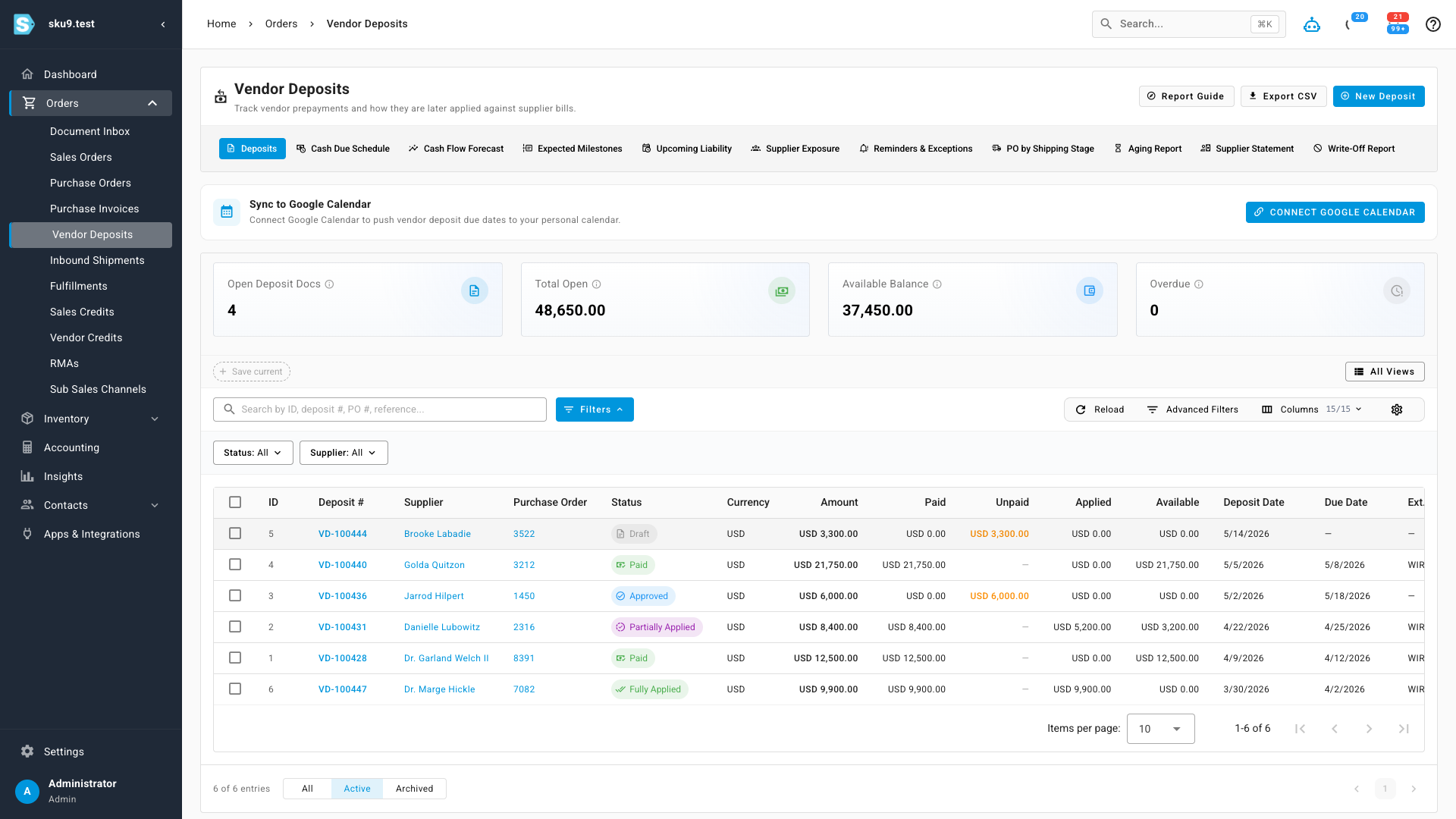
Vendor Deposits is its own area under Orders → Vendor Deposits. The main list shows every deposit with its supplier, linked purchase order, status, and a running breakdown of how much has been paid, applied, and is still available — with summary cards across the top for total open balance and anything overdue.
Create a deposit in seconds
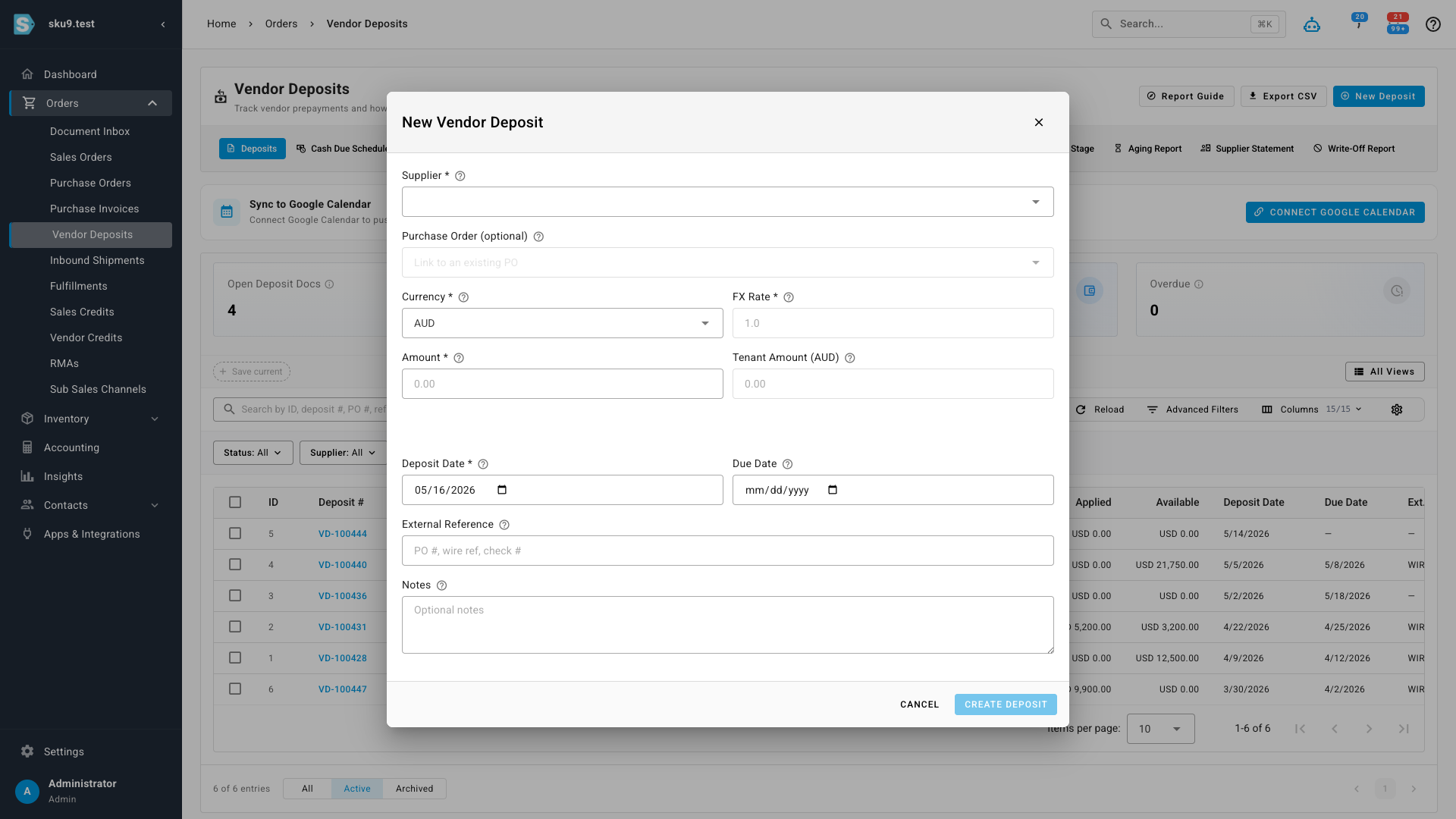
Add a deposit from the workspace — or straight from a purchase order so it's linked from the start. Pick the supplier, enter an amount in the supplier's currency, set the deposit and due dates, and attach the proforma invoice or wire confirmation. Multi-currency is handled properly: you record the FX rate at payment time, and SKU keeps the tenant-currency value alongside it.
Pay, apply, and reconcile
Each deposit has its own detail page with a clear lifecycle — approve, record payment, then apply it to bills. Partial payments and partial applications are fully supported, so a single deposit can be split across several wires or netted against several bills. Every payment, application, refund, and accounting journal is recorded on its own tab, so the full history of the money is always one click away.
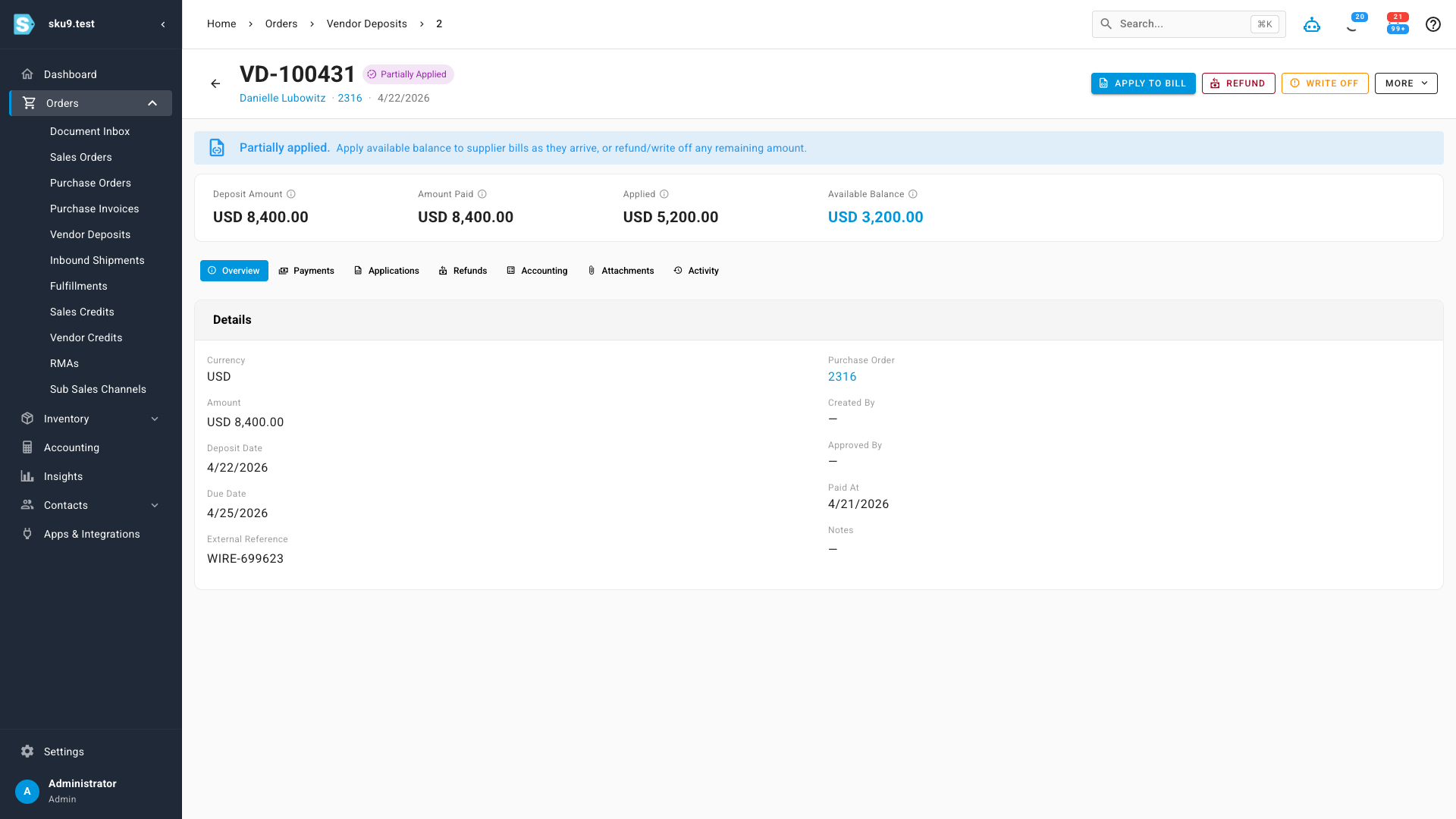
When a bill is posted against a purchase order that has a paid deposit, SKU applies the deposit to that bill automatically — reducing the balance due and moving the deposit toward closed, with the matching accounting entry posted for you.
Know what cash is due — and when
Aging tells you how long money has been sitting. The new Cash Due Schedule does the opposite: it looks forward. It groups your supplier obligations into due now, due within 30 days, and upcoming — so AP can see exactly what needs to be paid and plan around it, instead of being surprised by a half-million-dollar invoice and doing the backwards math to verify it.
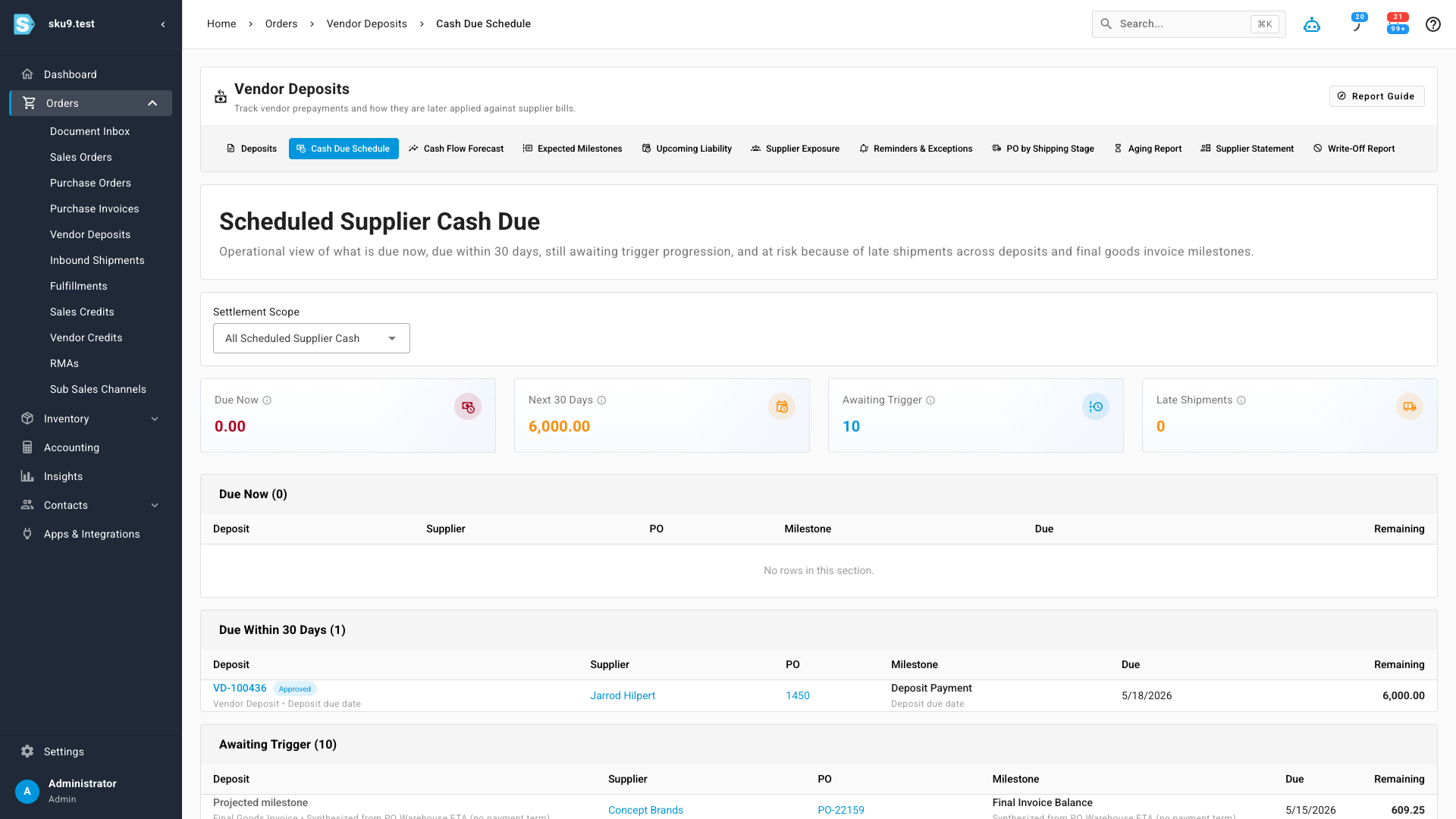
Alongside it you'll find a full set of planning and reconciliation views — Cash Flow Forecast, Supplier Exposure, Upcoming Liability, Aging, Supplier Statement, and a Write-Off report — plus optional Google Calendar sync so deposit due dates land on your calendar.
Where to find it
Open Orders → Vendor Deposits in the main menu for the full workspace. You can also add and view deposits directly from any purchase order, where they appear linked to the PO they belong to.