A Redesigned Amazon Workspace — One Modern Interface
If you run Amazon in SKU.io, your day moves across a lot of pages — orders, FBA inventory, removal orders, reimbursements, settlements, reports. Until now those pages didn't all look or behave the same way, so a single workflow could feel like using two different products: different navigation, different tables, different filters. We've rebuilt the entire Amazon integration into one modern, consistent workspace. Every page now shares the same layout, the same powerful filtering and saved views, the same exports and bulk actions — and a single view across all your Amazon accounts.
✨ What this means for you:
- One consistent interface across every Amazon page — no more jarring jumps mid-workflow
- The same powerful tools everywhere — advanced filters, saved views, exports, and bulk actions on every list
- All your Amazon accounts in one view — work across multiple connected Amazon integrations without switching context
- Faster, cleaner tables — colour-coded status chips, column controls, and shareable filtered views
One home for everything Amazon
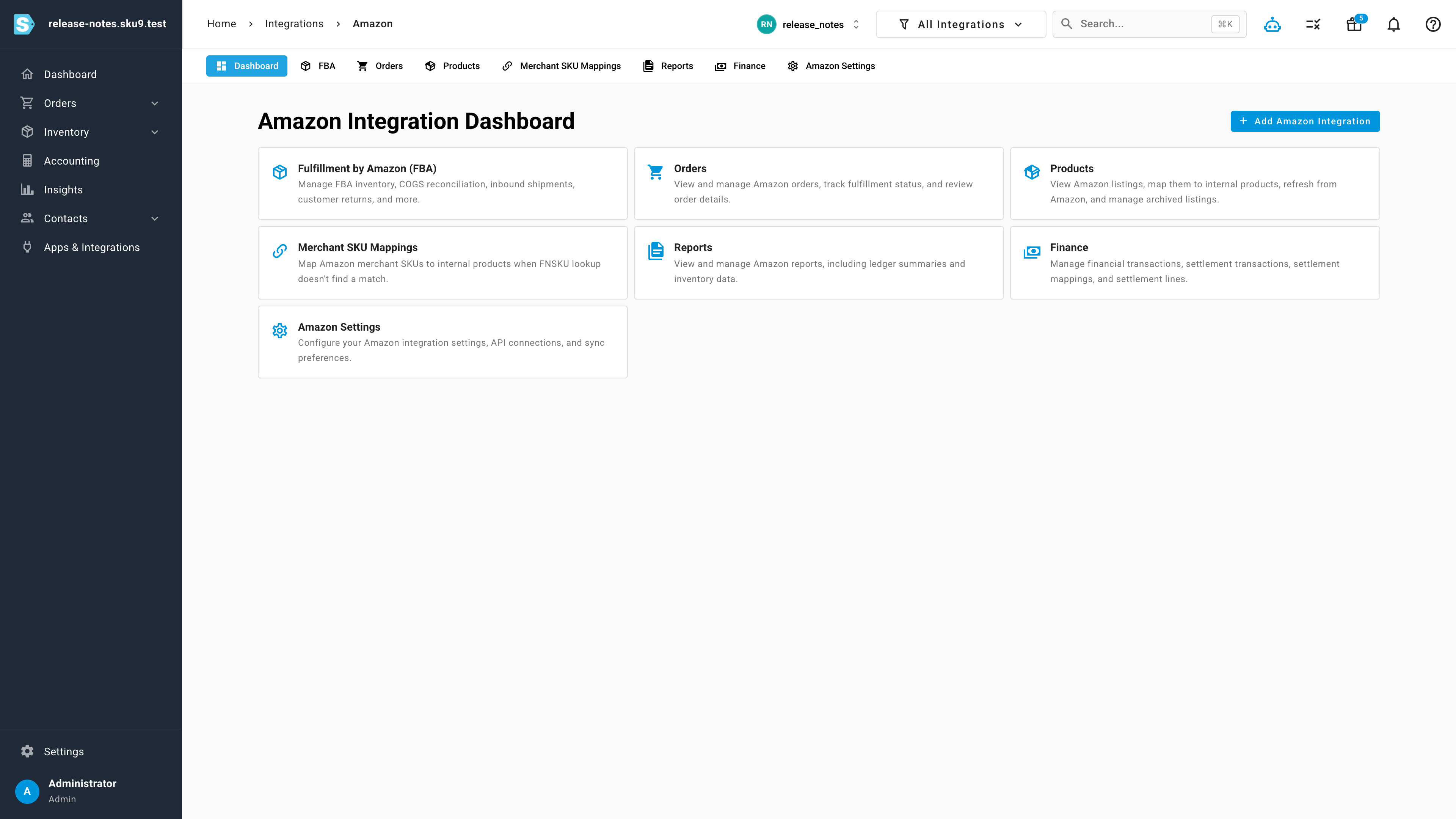
The Amazon dashboard ties the whole integration together, with clear sections for FBA, Orders, Products, Merchant SKU Mappings, Reports, Finance, and Settings — and consistent navigation that carries across every page beneath them.
Orders that work like the rest of SKU
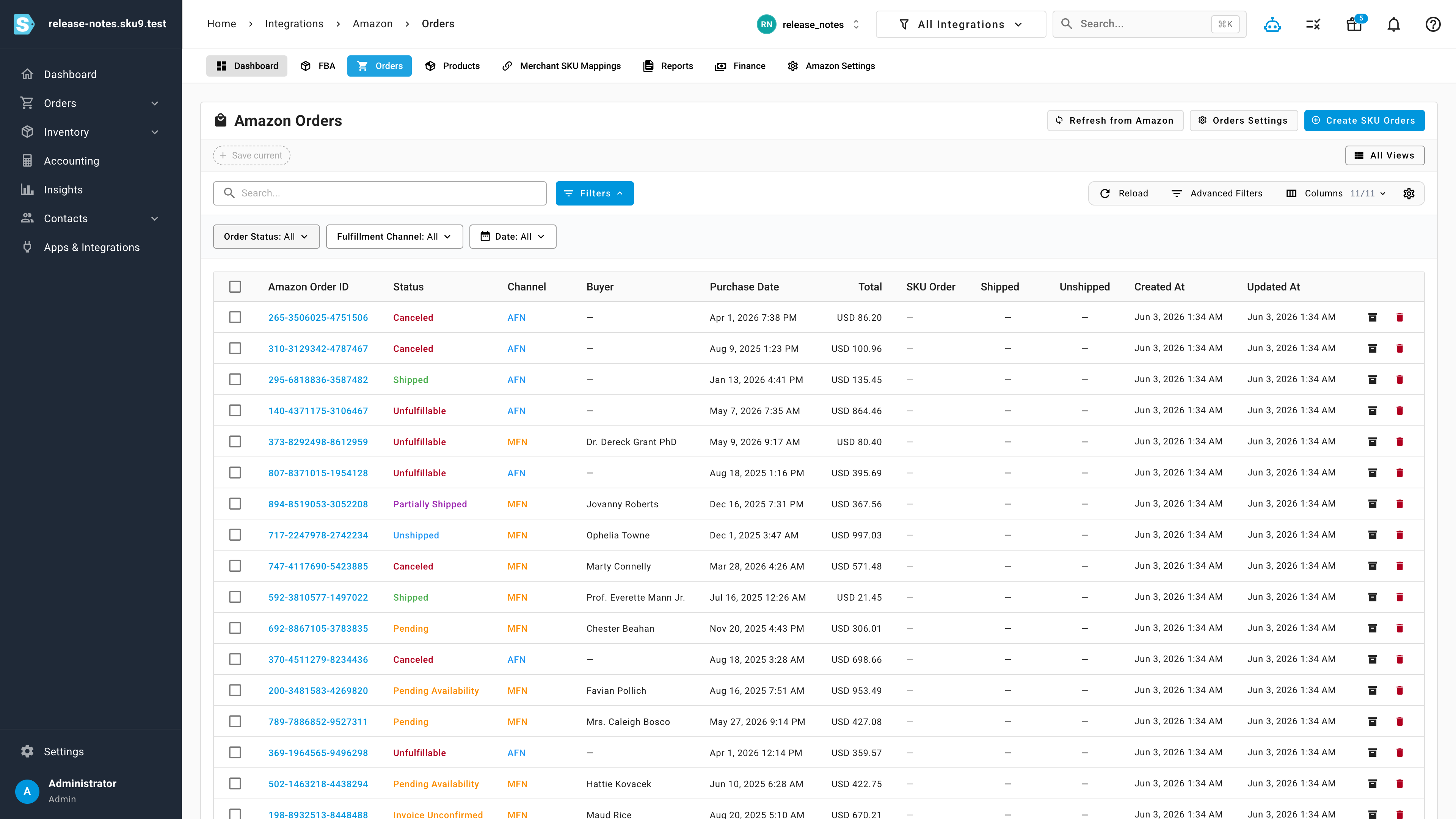
The Amazon Orders list now behaves exactly like every other table in SKU.io — search, status and fulfillment-channel filters, advanced filters, saved views, column controls, and export, all in one toolbar. Order status is colour-coded at a glance, and you can jump straight from an order to creating a SKU order.
FBA operations with real controls
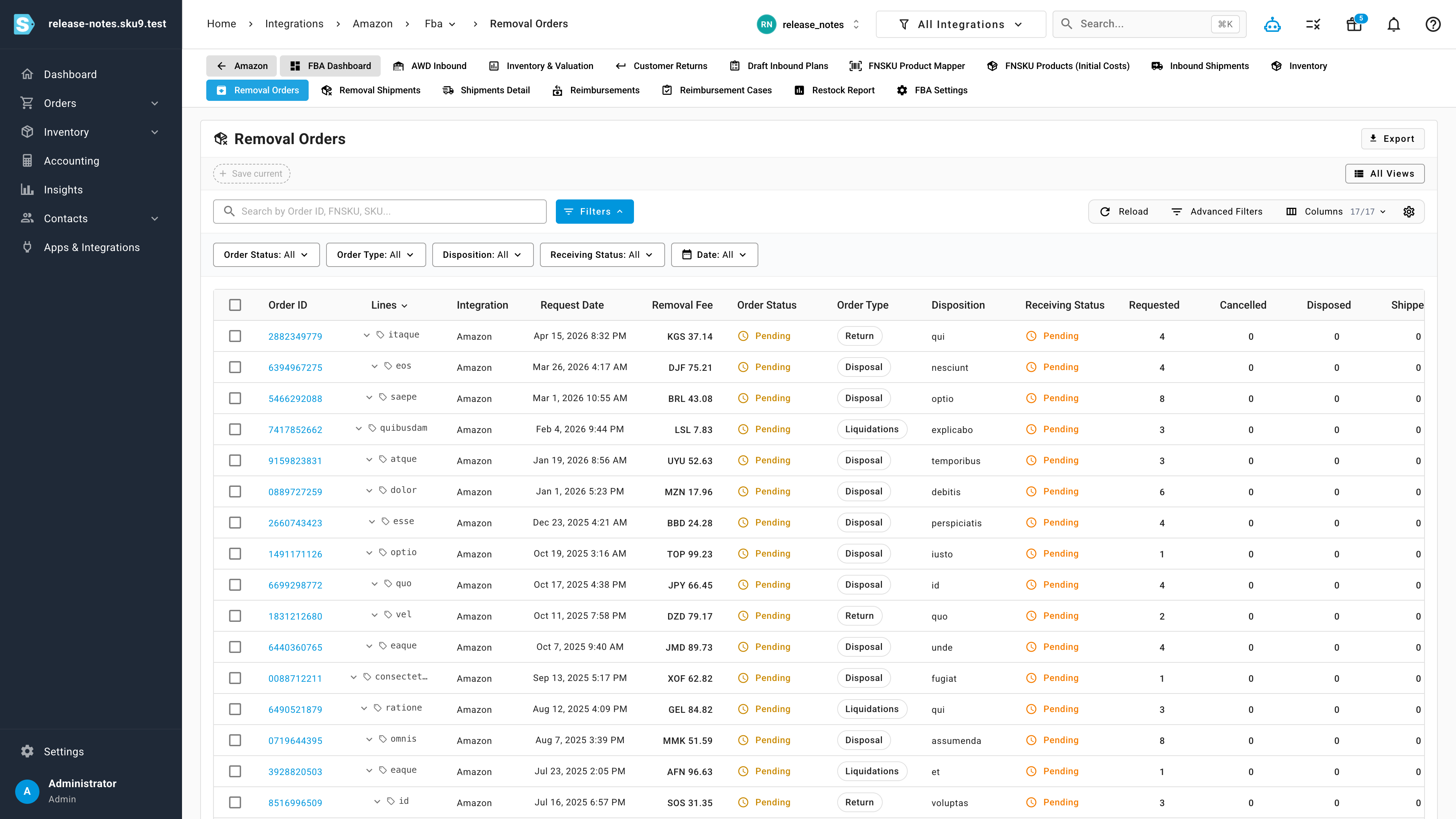
The FBA pages keep their operational depth. Removal Orders, for example, gives you granular filtering by order status, order type, disposition, and receiving status, expandable line detail, saved views, and export — so high-volume FBA work stays fast and precise. The same modern pattern runs through Removal Shipments, Customer Returns, Inbound Shipments, Reimbursements, Inventory & Valuation, and Reports.
Where to find it
Open Apps & Integrations → Amazon. Everything — the dashboard, Orders, Products, the full FBA suite, Reports, and Finance — now lives in the same modern workspace, with consistent navigation across all of it.