Manufacturing — Build Finished Products and Cost Every Run
If you make or assemble what you sell, you've been stitching the production side together by hand — drawing down raw-material stock in one place, adding finished units in another, and working out what each batch actually cost in a spreadsheet. SKU now does all of it for you. Manufacturing lets you define a recipe once, run a manufacturing order to turn components into finished goods, and have SKU consume the raw materials, receive the finished product into stock, and post the accounting — automatically, every time you produce.
✨ What this means for you:
- Define a product's recipe once — its components, quantities, scrap, and outputs — and reuse it on every build
- Run production as a tracked order from Draft through to Completed, with a live view of what's planned, in progress, late, and done
- Accurate per-build costing — materials, labour, and overhead roll up into the real cost of each finished unit
- Inventory stays correct automatically — components are consumed and finished goods received as you produce, with full FIFO traceability
- The books keep themselves — each production run posts a balanced work-in-process journal, so your accounting matches your shop floor
- A Simple Mode for quick one-step assembly and disassembly when you don't need a full production order
One view of everything on the shop floor
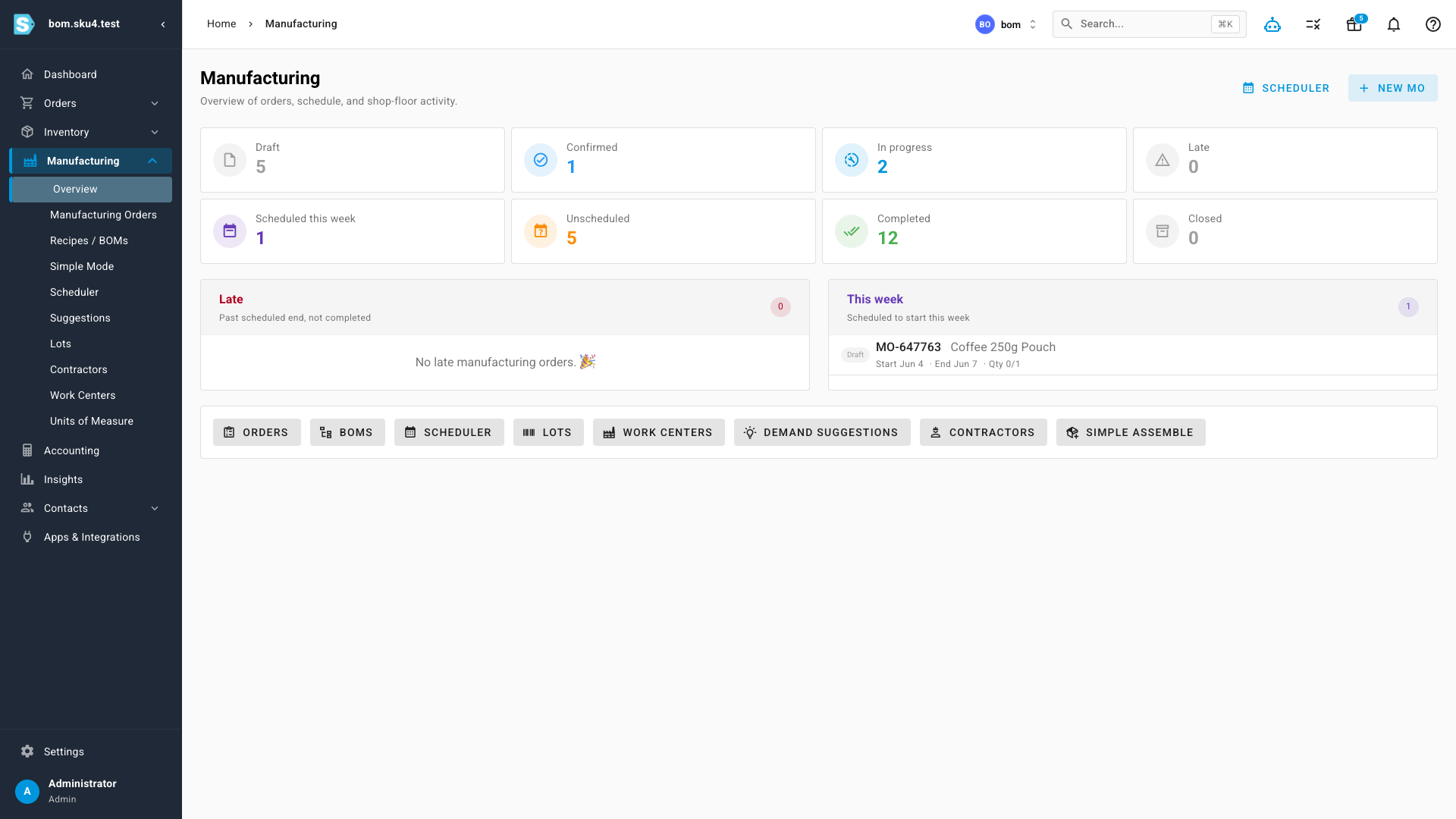
The Manufacturing overview is your production command centre. A status pipeline across the top shows how many orders are Draft, Confirmed, In Progress, Late, Completed, and Closed at a glance, alongside what's scheduled to start this week — so nothing slips quietly past its date.
Define the recipe once
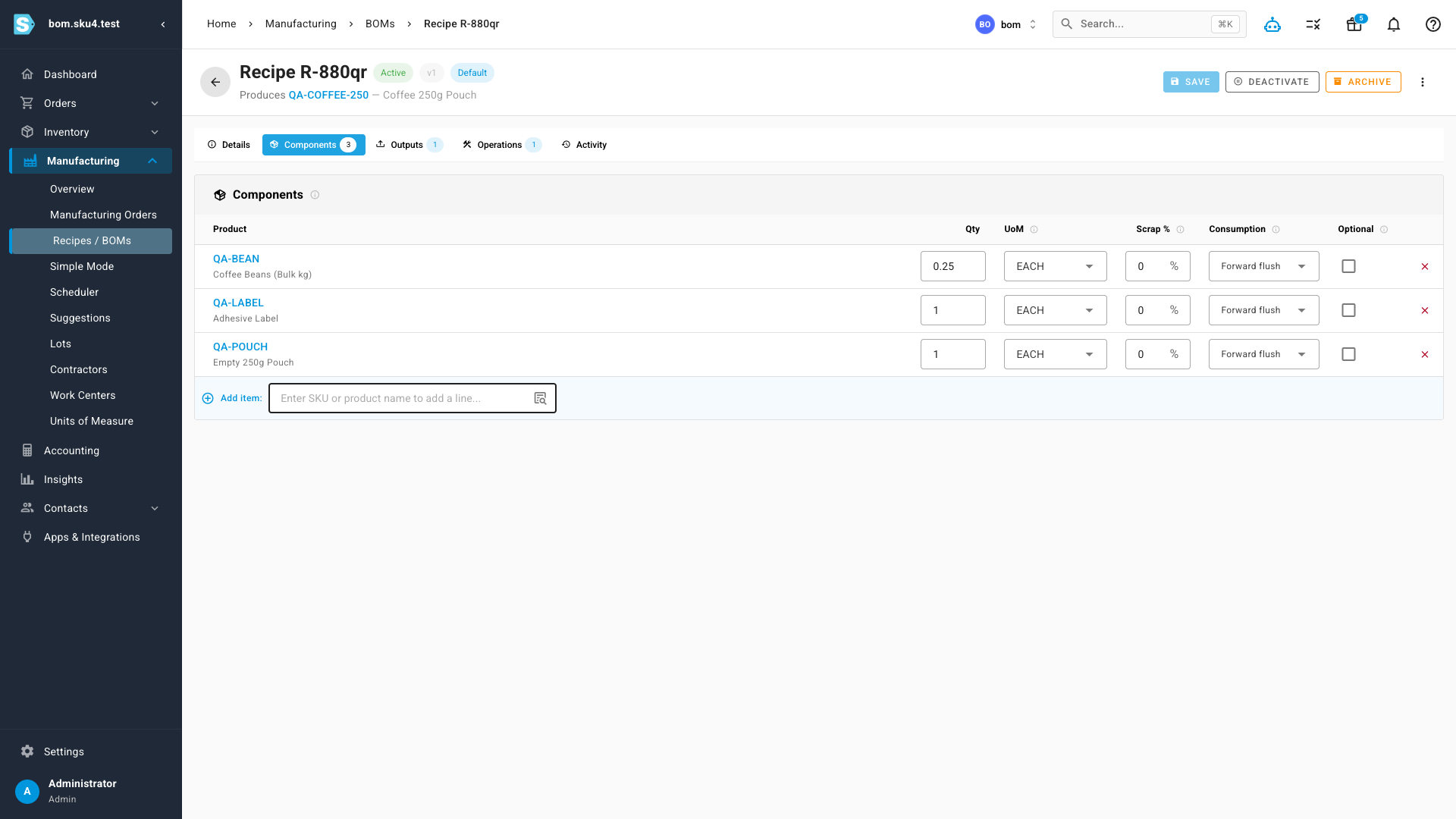
A Recipe (Bill of Materials) describes how a product is built: the components it consumes, the quantity and unit of measure for each, an optional scrap allowance, and the finished product it outputs. Set it up once and every manufacturing order for that product starts from it — no re-keying components batch after batch.
Run production from draft to done
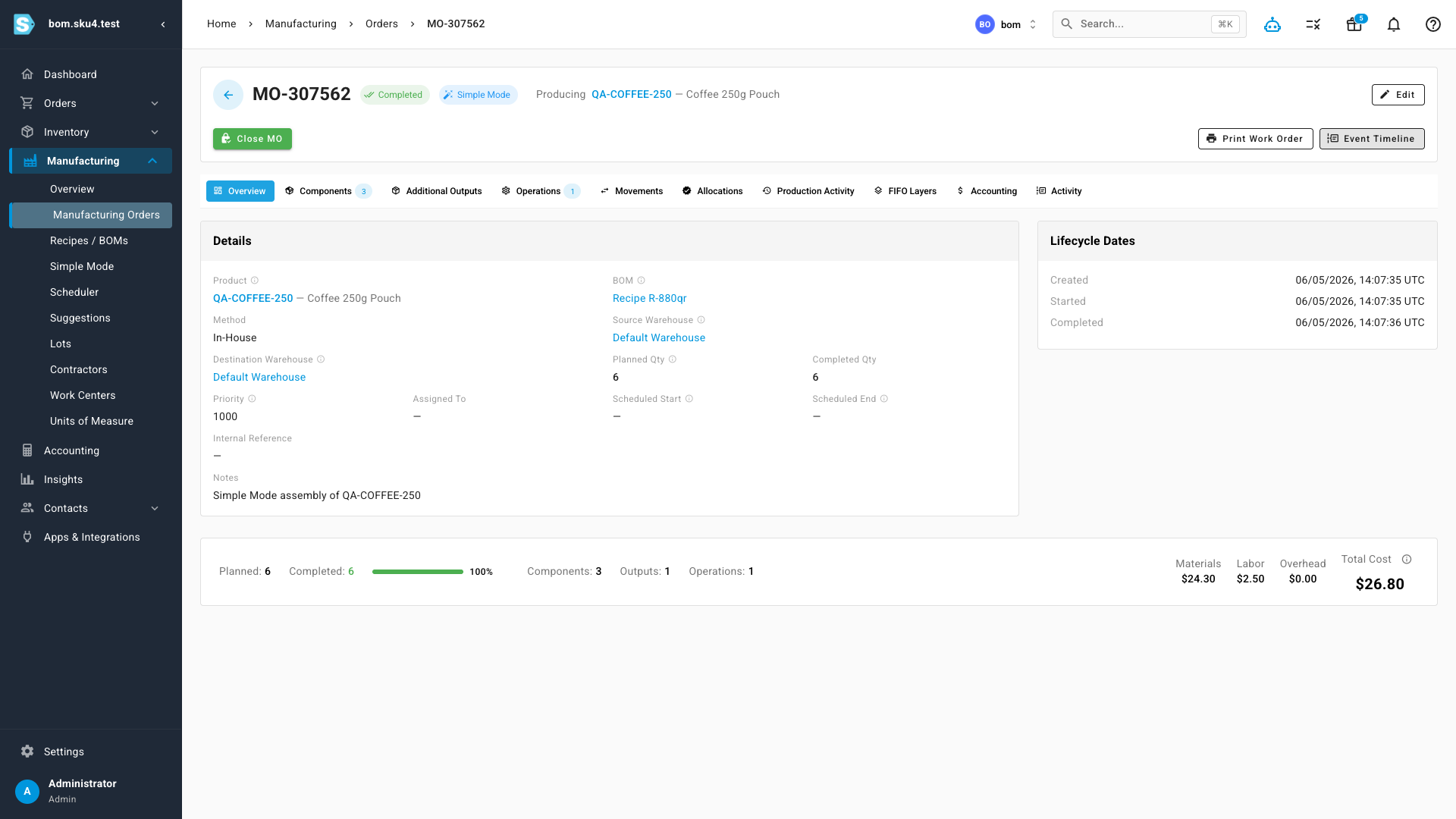
A Manufacturing Order takes a recipe and produces real stock. As it moves through its lifecycle, SKU tracks planned versus completed quantity, consumes the component inventory, and receives the finished goods — then rolls everything into a true cost for the run, broken out by materials, labour, and overhead. Dedicated tabs give you the components, outputs, operations, inventory movements, allocations, and FIFO layers behind every build.
Accounting that keeps itself
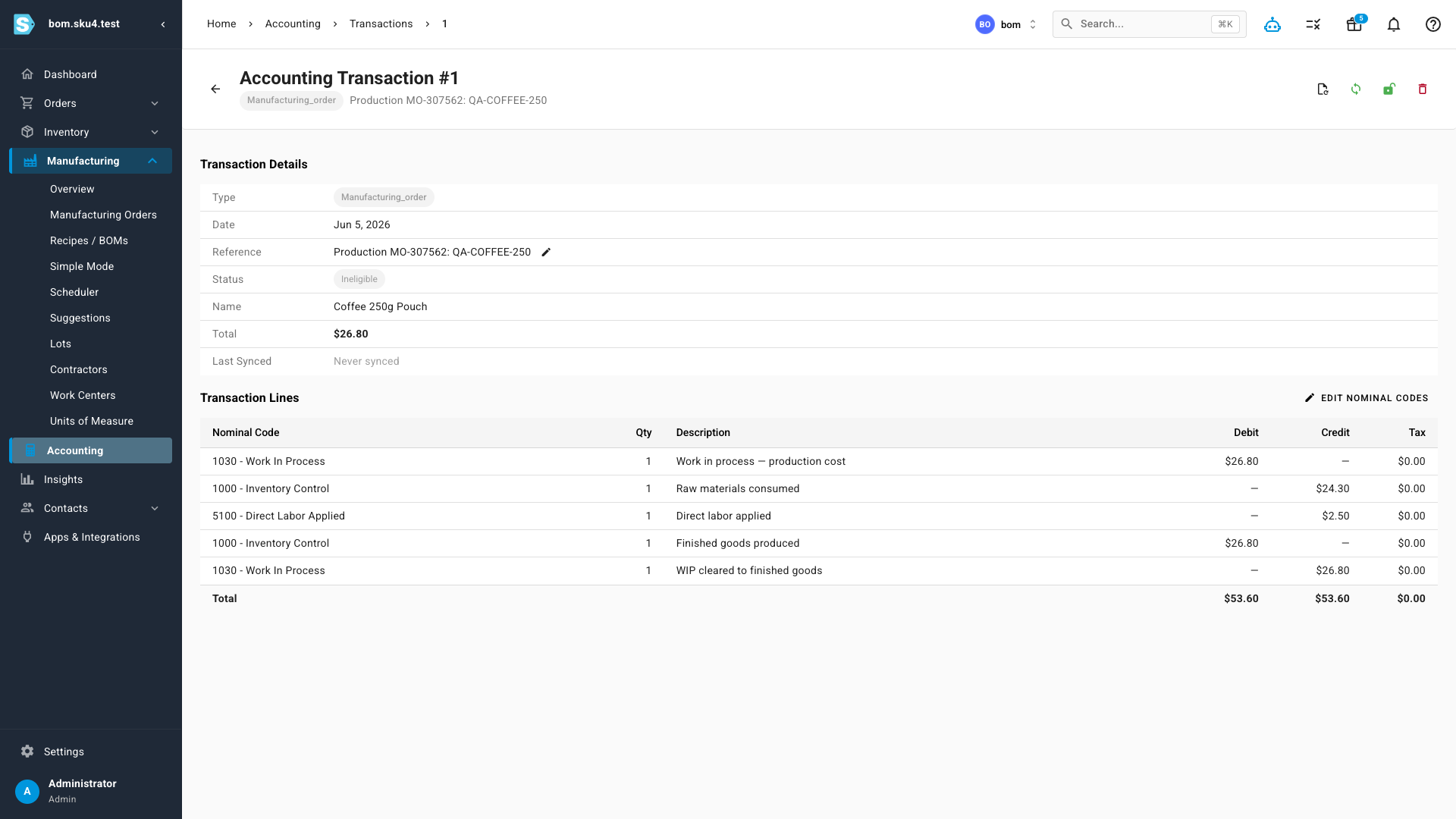
This is what sets it apart: every production run posts a balanced, double-entry work-in-process journal automatically. Raw materials are credited out of inventory and into work-in-process, labour is applied, and the finished goods are received back into inventory at their full produced cost — with work-in-process cleared to zero when the run completes. Your books always reflect what actually happened on the floor, with no manual journal entries.
A simpler path for quick builds
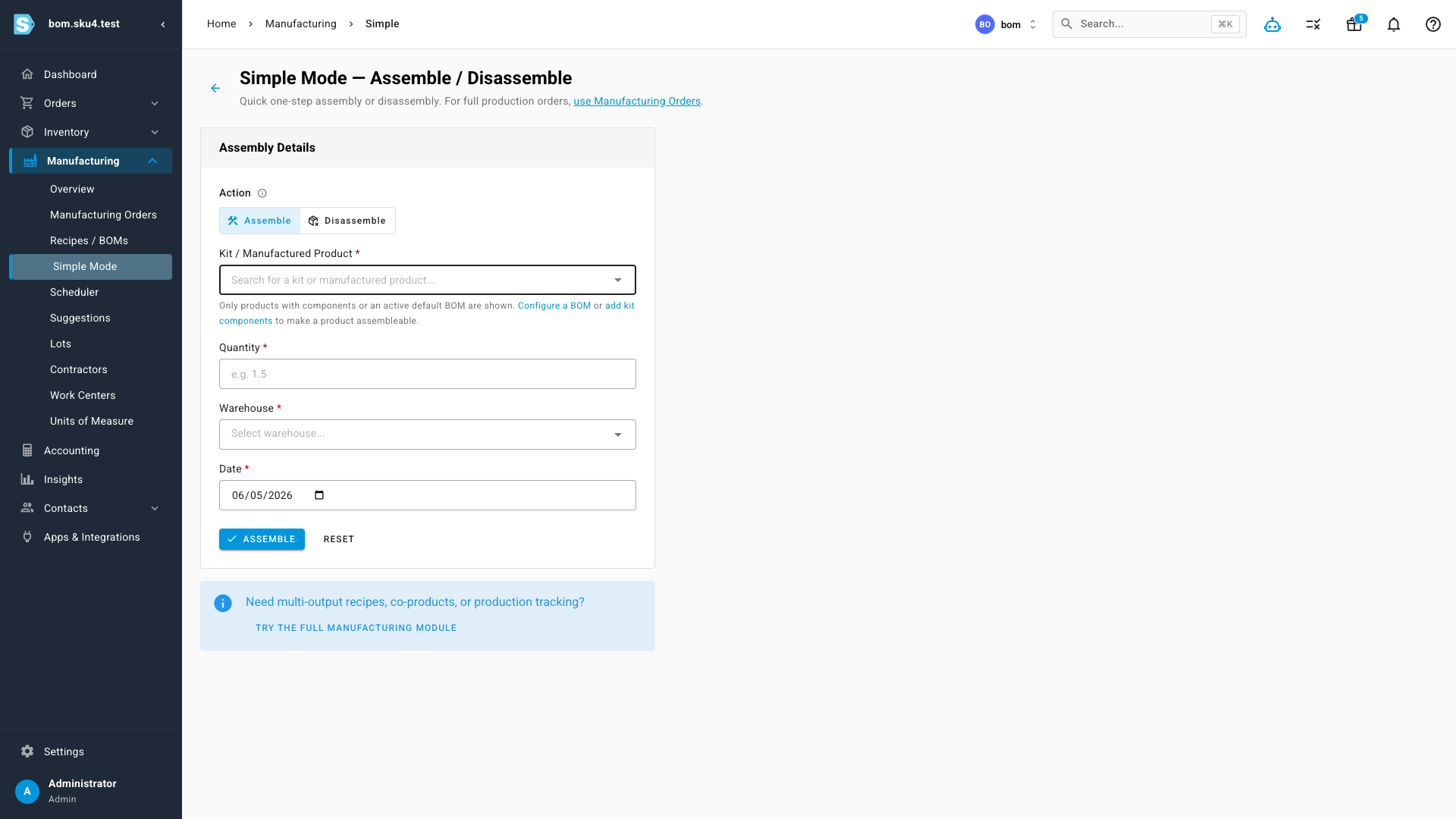
Not every build needs a full production order. Simple Mode gives you one-step Assemble and Disassemble actions — pick the product, the quantity, the warehouse, and the date, and SKU handles the stock movements instantly. It's ideal for kitting, repacking, and breaking bulk down into sellable units. When you outgrow it, the full Manufacturing module is one click away.
Where to find it
Open Manufacturing in the main navigation. The Overview is your production dashboard; Recipes / BOMs is where you define how products are built; Manufacturing Orders is where you run and track production; and Simple Mode handles quick one-step assembly and disassembly.