Receive one PO into multiple warehouses
If you import from one supplier but distribute across several locations — an inspection sample to HQ, the bulk to a 3PL, more again to a second 3PL — you've been forced to fight the system. SKU treated the PO's destination warehouse as the single truth, so the only way to record reality was to split one commercial order into multiple POs and reconcile the duplicates against your vendor's invoices and deposits by hand. Multi-warehouse receiving changes that. The inbound shipment is now the authoritative unit of "where the goods land," and each shipment on a PO can be sent to a different warehouse — while the PO itself stays a single commercial document.
✨ What this means for you:
- One PO can now receive into as many warehouses as you need — one shipment per destination, no more splitting an order to model reality.
- Each shipment carries its own destination warehouse, editable while the shipment is still un-received and locked once goods arrive.
- The receipt always books to the shipment's warehouse — so stock-on-hand, FIFO layers, and inventory movements end up at the location where the goods physically arrived.
- Per-warehouse forecasts and reorder suggestions now attribute incoming supply to the destination of each shipment, not the PO header — your planning data finally matches what's on the truck.
- Vendor deposits, invoices, and reconciliation stay on the single PO — no more multiplying your AP work to capture a multi-destination delivery.
Pick the destination when you create a shipment
When you create an inbound shipment from a PO, the Destination Warehouse field is now editable and pre-filled with the PO's default — change it to send this shipment somewhere else. Add as many shipments as you need; each one points at its own warehouse.
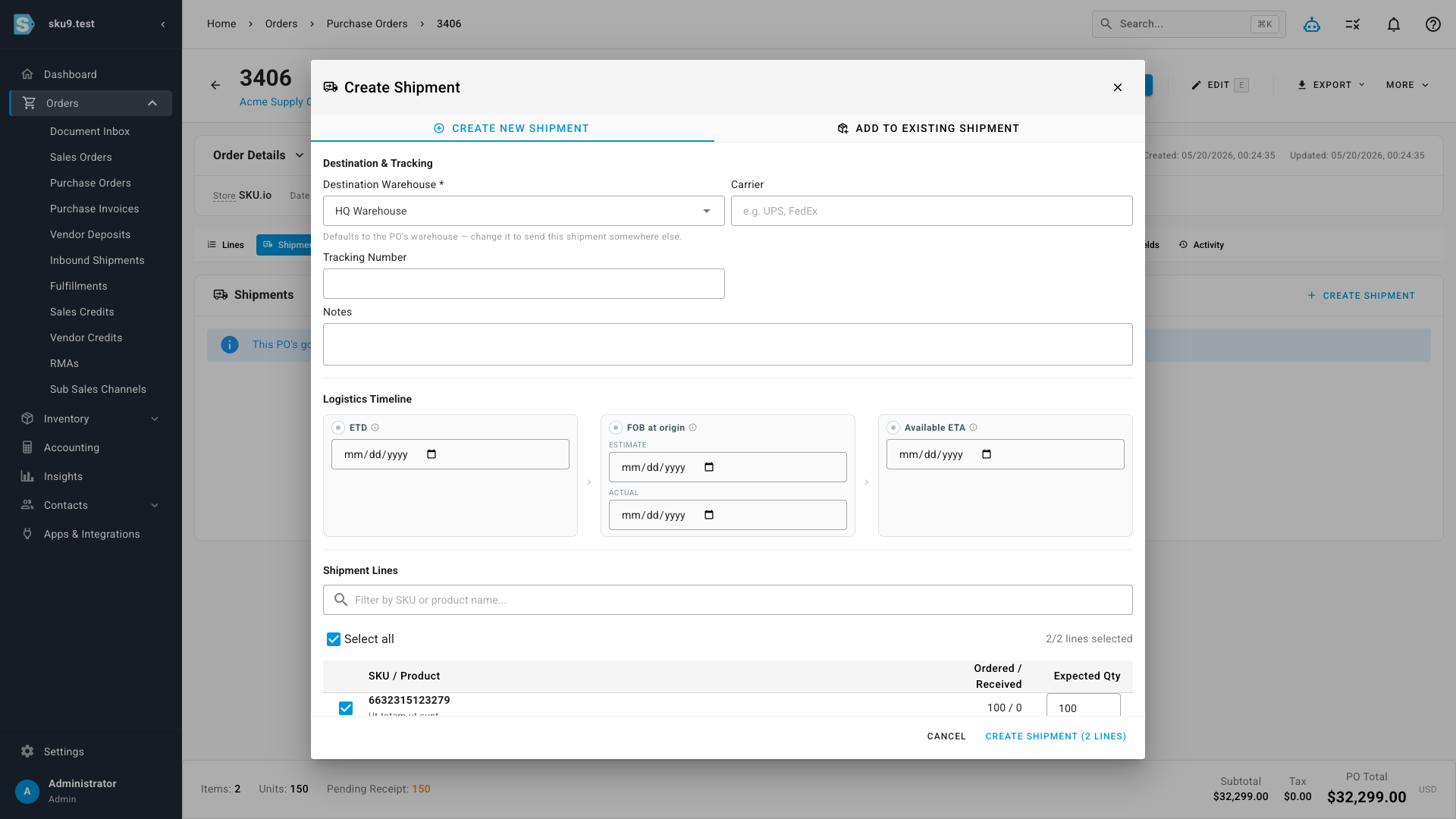
You can keep editing a shipment's destination until it has its first receipt — then it locks, because once the goods are booked in, that's where they live.
Each shipment shows where it's going
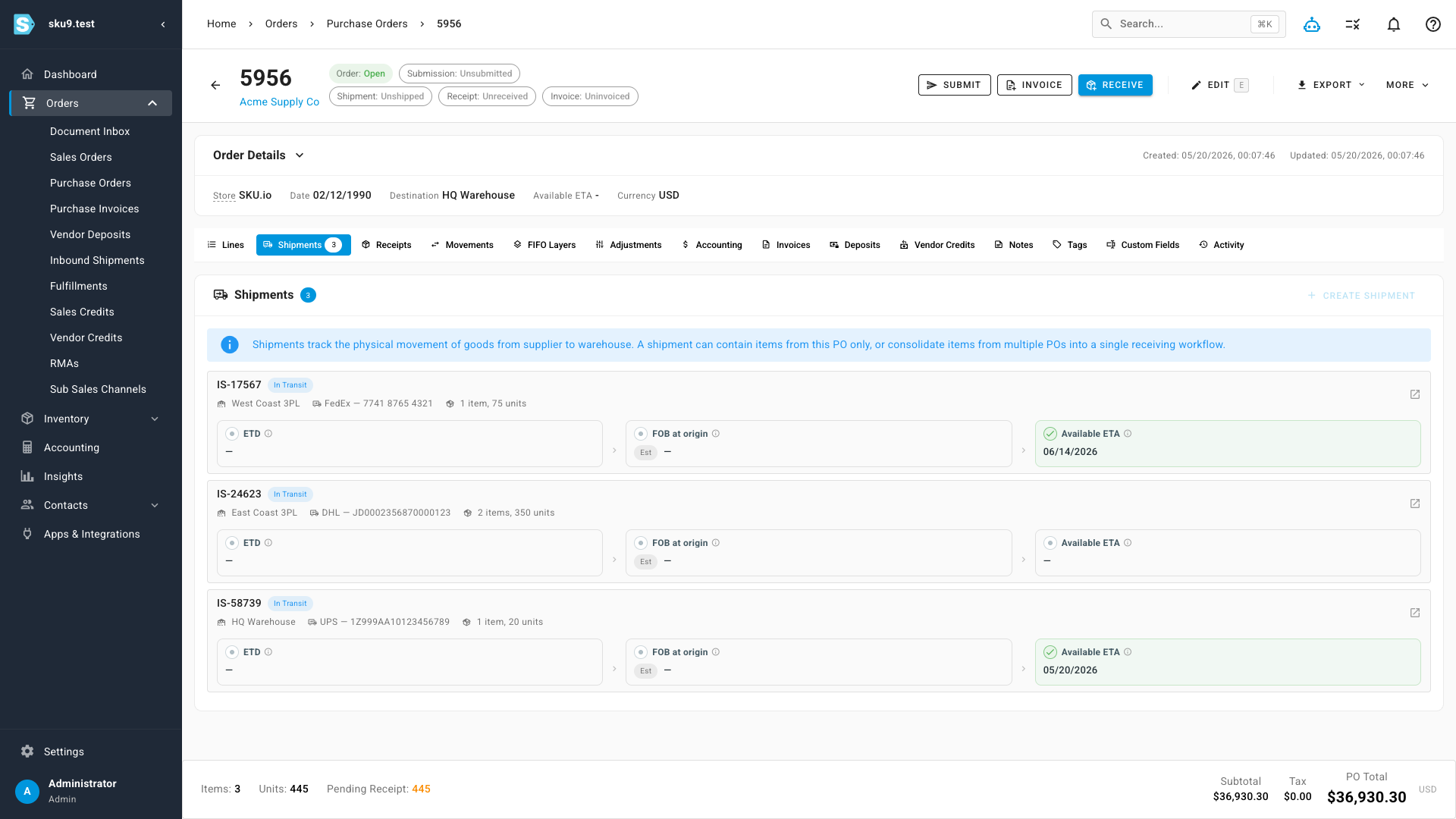
The Shipments tab on a PO lists every shipment with its own destination clearly labelled, so the multi-destination plan for the order is visible at a glance.
And the global view follows the goods
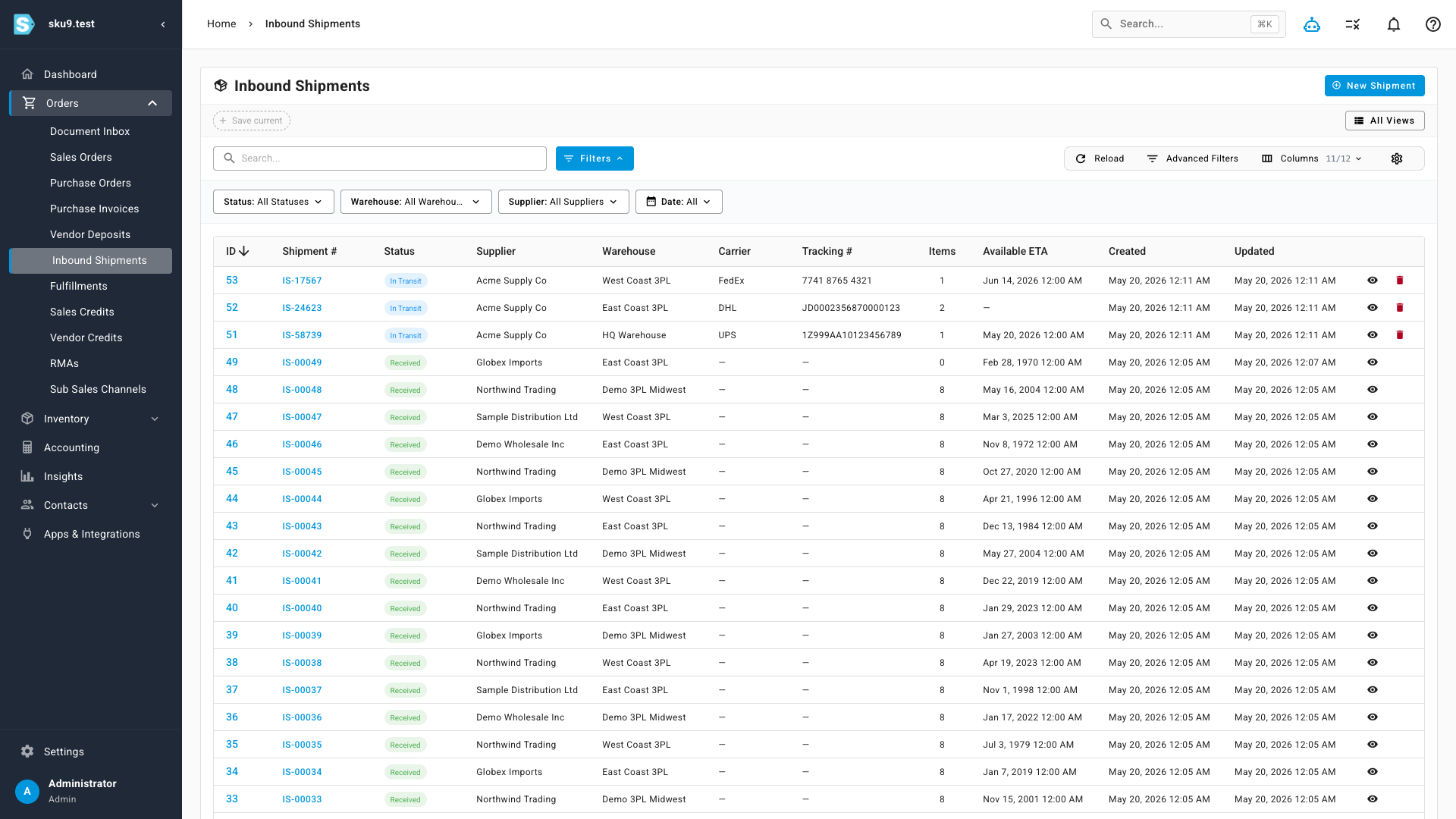
The Inbound Shipments page lists every incoming shipment across all your POs with its own warehouse column and a warehouse filter — so warehouse teams can quickly see what's headed to their site without sifting through PO-header destinations that no longer tell the truth.
Behind the scenes: inventory and planning catch up too
This isn't just a UI change. Every place SKU previously attributed a PO's incoming stock to the PO-header warehouse — receipts, FIFO layers, inventory movements, per-warehouse forecasts, the Inventory Planning Report, suggested reorder quantities, supplier consolidation, inventory valuation drilldowns — now follows the shipment's destination instead. Unreceived PO quantity that hasn't been assigned to a shipment yet still falls back to the PO header as the planned default, so your existing single-destination POs continue to forecast exactly as before.
Where to find it
Open any purchase order and go to the Shipments tab — the Create Shipment button opens the new dialog with the editable Destination Warehouse field. The full list of incoming shipments across all your POs lives at Orders → Inbound Shipments.